
Overview
Less Likely is a modern static website built with Quarto, designed specifically for academic and scientific content with a focus on statistical methodology. This page documents the complete technology stack, architectural decisions, and evolution of the site.
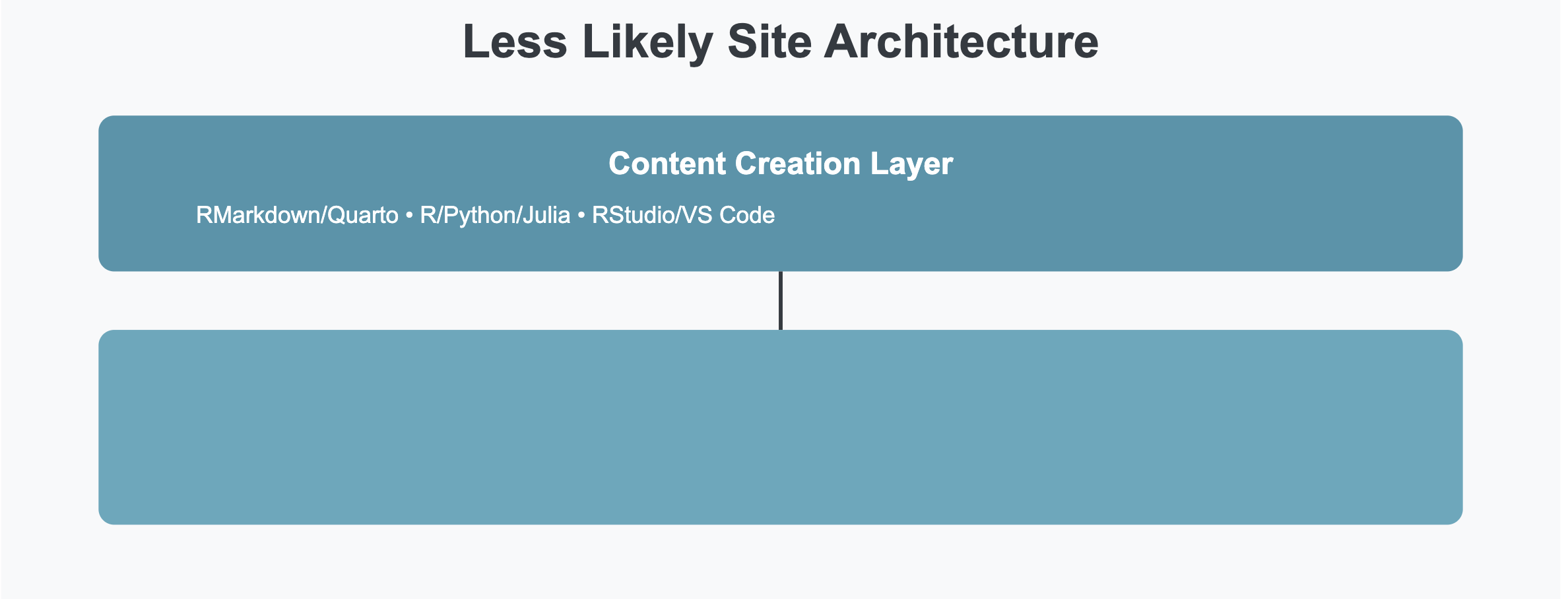
Architecture Diagram
Technology Stack
Core Infrastructure
Quarto Publishing System
- Quarto - Next-generation scientific publishing system
- Version: 1.10 (the rendered output currently reports
quarto-1.10.18) - Why Quarto?
- Native support for R, Python, Julia, and Observable
- Superior mathematical typesetting with KaTeX
- Built-in citation management
- Cross-reference capabilities
- Code execution and visualization
- Professional academic output
Content Creation
- RMarkdown/Quarto Markdown - Primary authoring format
- RStudio/VS Code - Integrated development environments
- R Packages:
- Core statistical computing
- Data visualization (ggplot2)
- Tables (knitr, kableExtra)
- Special packages for specific analyses
Version Control & Deployment
- Git/GitHub - Version control and source hosting
- Netlify - Hosting, CDN, and deploy pipeline
- Automatic deployment on git push to
master - Netlify does not render the site. The site is rendered locally and
_site/(plus the_freeze/computation cache) is committed. Netlify’s build step only builds the CMS admin app (cd cms && npm ci && npm run build), then publishes the committed_site/. A content change is not live until it is re-rendered and committed. - CSS/JS bundling and minification
- Custom HTTP headers and CSP
- Redirect rules for canonical URLs
- Build plugins:
@netlify/plugin-lighthouse,@netlify/plugin-sitemap,netlify-plugin-submit-sitemap, and@algolia/netlify-plugin-crawler(disabled) - Netlify Functions - serverless endpoints in
netlify/functions/(site status, Disqus webhook, CMS auth, PageSpeed proxy, an owner-onlyaiprompt endpoint that calls Anthropic’sclaude-haiku-4-5through Netlify AI Gateway (switched from OpenAIgpt-4o-miniin September 2026), an owner-only session endpoint, a signed-in-user lookup (/api/auth/user) for the Account page, a no-store/api/healthcheck, and a read-only Notion lookup for the/workspacepage). The UFC dashboard backend (ufc.mjs) is no longer innetlify/functions/. Public/api/*paths are declared in each function’s ownconfig.pathexport, not via rewrites innetlify.toml - Netlify Edge Functions - one edge function (
netlify/edge-functions/workspace-auth.ts) gates/workspace*and/api/workspace/*behind the same owner-only GitHub OAuth session the CMS uses; unauthenticated page requests are redirected to the owner sign-in page and unauthenticated/api/requests are denied outright - Netlify Identity - reader accounts (email/password, plus OAuth providers once enabled in Identity) via the
/accountpage, linked from the navbar; the client is an esbuild bundle (src/account-auth.js->js/account-auth.js, built byscripts/build-identity-client.mjs). Separate from the owner-only GitHub OAuth used by the CMS and/workspace
- Automatic deployment on git push to
Third-Party Services
Search & Discovery
- Algolia - Full-text search with hosted index
- Index name
quarto, app ID configured in_quarto.yml @algolia/netlify-plugin-crawleris installed but currentlydisabled = trueinnetlify.toml; the index is built instead by a standalone Algolia Crawler (algolia/crawler-config.js) that runs on Algolia’s infrastructure on a schedule- Instant results with keyboard shortcuts (f, /, s)
- Category filtering
- Custom icons for result types (injected by
search-images.js)
- Index name
Typography & Fonts
- Google Fonts - Web typography
- Source Serif Pro - Body text (serif)
- IBM Plex Mono - Code snippets (monospace)
- Font loading: Preconnect to fonts.googleapis.com and fonts.gstatic.com for performance
Mathematics & Scientific Notation
- KaTeX - Mathematical rendering (
html-math-method: katexin_quarto.yml)- LaTeX syntax support
- Inline and display math
- Faster client-side rendering than MathJax (which the site used previously)
Quarto Extensions
Extensions installed under _extensions/. As of this audit _quarto.yml declares no filters: list, so none is enabled site-wide; a page must opt in through its own front matter or shortcodes:
- mcanouil/iconify - Iconify icon set integration
- mikemahoney218/arxiv - arXiv citation and link helpers
- r-wasm/live - WebR live code execution in the browser
- shafayetShafee/bsicons - Bootstrap icon set
- shafayetShafee/collapse-callout - Collapsible callout blocks
- mcanouil/highlight-text - Inline text highlighting (installed; not currently listed as a filter)
- quarto-journals/elsevier - Elsevier journal article format (installed for manuscript output; not a site filter)
- shafayetShafee/downloadthis - Download-button shortcode (installed;
_quarto.ymlcurrently has nofilters:list, so it is not enabled site-wide)
Note: _quarto.yml no longer sets lightbox: auto (Quarto’s built-in lightbox, available since v1.4), so image galleries are not enabled site-wide.
Removed in September 2026 as unused: quarto-ext/fontawesome, quarto-ext/attribution, quarto-ext/fancy-text, quarto-ext/include-code-files, fradav/animate, and leovan/pseudocode (extensions and their filter entries). mcanouil/iconify was updated to 4.2.1 at the same time and is now at 4.2.2.
Installed but not active: on 22 September 2026 a batch of extensions landed in _extensions/ – about three dozen mcanouil/* extensions (e.g. a11y, animate, modal, external, social, masonry, plus the mcanouil/mcanouil brand format), fredguth/tufte and tufte-inspired, davidcarayon/inrae, and nrennie/PrettyPDF. None is listed in a _quarto.yml filters: list (there is none) or referenced by any page’s format:, so they currently have no effect on the rendered site. The directory now also holds top-level copies of many of these (e.g. _extensions/a11y, _extensions/modal) alongside the mcanouil/ namespace.
Reference Management
- Zotero - Bibliography and citation management
- CSL - Citation Style Language for formatting
- BibTeX - Bibliography format
- Integration:
- Automatic citation insertion
- Site-wide bibliography declared in
_quarto.ymlasreferences-cited.bib+packages.bib, formatted withcustom.csl; posts may add their own files on top references-cited.bib(and thestatistics/,nutrition/equivalents) is generated, not edited:scripts/slim-bibs.py(pre-render) extracts only the cited entries from the 2.6–3.6 MB Zotero exports (references.bibetc.) so citeproc stops parsing multi-megabyte BibTeX on every page.--verifychecks that every key resolves against the slim file iff it resolves against the source- Citation hover cards show the paper’s abstract:
scripts/inject-abstracts.py(post-render) appends a collapsed<details>to each reference entry from the.bibabstractfield orscripts/abstracts-cache.json, whichscripts/fetch-abstracts.pyfills on demand from OpenAlex (not part of the render, so builds never depend on a third-party API) - Hover previews for citations (
citations-hover: true) - The
zotero-api-clientlibrary is loaded site-wide from unpkg ininclude-in-header.html(removed briefly, restored September 2026)
Image Optimization
- Cloudinary - Image CDN and optimization
- Automatic format conversion (WebP)
- Responsive images
- Lazy loading
- Compression and optimization
Analytics & Monitoring
- Google Analytics 4 (G-9WVCJ5ZY42) - Traffic and event tracking
- Loaded via gtag.js in
include-in-header.html - Cookie consent (
type: implied) wired through Quarto
- Loaded via gtag.js in
- Microsoft Clarity (kjbivoumgn) - Session recordings and heatmaps, loaded via
include-in-header.html - Google Search Console - SEO monitoring
- Bing Webmaster Tools - Additional search insights
Site Architecture
Frontend Design
Styling System
- Bootstrap 5 - Base CSS framework (via Quarto/Bootswatch)
- Custom SCSS - Theme customization
- Light theme: Paper (Bootswatch) +
theme-mono.scssoverrides - Dark theme: standalone
theme-dark.scss(no Bootswatch parent) - Custom color variables
- Brand colors: #4895ab (primary), #d46c5b (accent)
- Light theme: Paper (Bootswatch) +
Layout Components
- Responsive Navigation - Mobile-friendly navbar
- Sidebar Navigation - Contextual links
- Table of Contents - Automatic generation
- Code Blocks - Syntax highlighting with language badges
- Copy Buttons - One-click code copying
- Search Results - Custom icons and styling
Custom Features
- Language Badges - Visual code block identifiers
- Copy Code Functionality - Enhanced clipboard integration
- Search Icons - Category-specific visual indicators
- Image Centering - Consistent image display
- Table Styling - Professional data presentation
- Theme Toggle - Three-state light/dark/flux switcher (
js/theme-toggle.js); flux is a Night Shift-style warm-tone mode (css/flux-mode.css) - R Function Documentation Links - R function calls in code blocks link to RDocumentation, with hover previews showing the function’s help title and description (
js/rdoc-links.js).scripts/generate-rdoc-map.R(pre-render) resolves each function used on the site to its package and Rd topic from the locally installed help indices, since RDocumentation keys pages by Rd file name rather than alias (sapply()lives atbase/topics/lapply).- Preview text ships in
rdoc-map.json, so hovering costs no third-party request; the map is fetched only on pages that contain R code. scripts/verify-rdoc-map.pychecks every generated URL, repairs topics upstream has renamed, and prunes any that cannot be resolved, so no reader hits a dead documentation link. Run it after adding posts that use new packages.
- Stata Command Documentation Links - Stata commands in code blocks link to their stata.com help page, with hover previews built from the command’s own help text (
js/stata-links.js).scripts/generate-stata-map.R(pre-render) scans Stata fences for command-position tokens (handling///line-continuations andqui/cap/svy/bayes-style prefixes so trailing words on a continued line, e.g.asindisplay ... as text ///, are never mistaken for a new command) and resolves each against the locally installed.sthlpfiles (/Applications/StataNow/ado/base/**), including abbreviation matching (gen->generate) at any length Stata itself accepts, not just the documented minimum.- Preview text (section + description) is parsed straight out of each command’s SMCL help file and ships in
stata-map.json, so hovering costs no third-party request.
- Python Call Documentation Links - Python function/method calls in code blocks link to the official docs for numpy, pandas, scipy, statsmodels, matplotlib, scikit-learn, and the standard library, with hover previews built from the callable’s own docstring (
js/python-links.js).scripts/generate-python-map.py(pre-render hook currently commented out in_quarto.yml, sopython-map.jsonis refreshed manually; run with the pyenv interpreter that has every relevant package installed, not thepython3onPATH) parses each Python fence withast(not regex) to resolve import aliases and enumerate realCallnodes, then resolves each call two ways: first the alias-resolved literal path against the matching package’s Sphinxobjects.invinventory, falling back to the locally installed package’s runtime-introspected__module__.__qualname__when a package only documents its internal path (e.g.sm.OLS->statsmodels.regression.linear_model.OLS).- Inventories are fetched over the network and cached in
scripts/python-inv-cache.json(refreshed if older than 30 days, or reused stale if the fetch fails), so a render doesn’t need network access every time. - Preview text is the callable’s own docstring first line, captured at build time and shipped in
python-map.json, so hovering costs no third-party request.
- Gwern-style Reading Features (added September 2026;
css/design-features.css,js/design-features.js) - every enhancement degrades to plain HTML.- Sidenotes - footnotes render in the margin on wide screens and inline below ~992px (
reference-location: marginin_quarto.yml; no JS). - Link popups - hover previews for Wikipedia (REST summary), arXiv (export API abstract), and internal links (first paragraph of the target article); other links get a destination card from local metadata, so no URL is sent to a third-party preview service (
js/link-popups.js, tippy.js, 7-daylocalStoragecache). - Abstract previews - citation hover cards include the paper’s abstract (see Reference Management above).
- Backlinks with context -
scripts/backlinks.py(post-render) appends a Backlinks section to each post listing every internal page that links to it, the passage containing the link, and a deep link to the source section. One-way and rebuilt on each render, not Gwern’s live bidirectional graph. - Sortable tables - click a
<th>to sort (numeric- and locale-aware); tables marked.no-sortare left alone.
- Sidenotes - footnotes render in the margin on wide screens and inline below ~992px (
Content Organization
my-quarto-site/
├── _quarto.yml              # Site configuration
├── index.qmd                # Homepage
├── about.qmd                # About page
├── blog.qmd                 # Blog listing
├── posts.qmd                # Alternative post view
├── projects.qmd             # Projects showcase
├── dashboards.qmd           # Interactive dashboards
├── glossary.qmd             # Terminology reference
├── sitemap.qmd              # Human-readable site map
├── contact.qmd              # Contact information
├── account.qmd              # Reader sign-in (Netlify Identity)
├── support.qmd              # Support page
├── blogroll.qmd            # Links to other sites
├── datasets.qmd            # Data repositories
├── privacy.qmd              # Privacy policy
├── license.qmd              # Licensing terms
├── conduct.qmd              # Comment policy
├── 404.qmd                  # Custom error page
├── build.qmd                # This page!
│
├── statistics/             # Statistical methodology posts
├── medicine/               # Medical research posts
├── nutrition/              # Nutritional science posts
│
├── images/                  # Site images and assets
├── styles/                  # Custom CSS
└── _site/                   # Generated output
Metadata & SEO
Schema.org Structured Data
- WebSite schema with site search (
include-in-header.html, site-wide) - Person schema (author;
worksFornames Less Likely inline – the standalone Organization schema was removed) - BlogPosting schema (articles; injected per post by
scripts/inject-article-jsonld.pypost-render)
Content Workflow
Writing Process
Create New Post
# Create new .qmd file in statistics/ (or medicine/, nutrition/)
touch statistics/new-post.qmd
Write Content
- Use RMarkdown syntax
- Execute R code inline
- Create visualizations
- Add citations withcitekey?
- Include mathematical notation
Preview Locally
quarto previewBuild Site
quarto renderDeploy
# Commit the source AND the rendered output -- Netlify does not render.
git add . _site _freeze
git commit -m "Add new post"
git push
# Netlify publishes the committed _site/ on push to master
Post Template
---
title: "Your Post Title"
author:
  - name: Sir Panda
    orcid: "0000-0003-1545-8199"
date: "2025-01-08"
categories: [statistics, methodology]
description: "Brief description of your post"
image: "featured-image.png"
citation:
  type: article
  container-title: "Less Likely"
  url: https://lesslikely.com/statistics/your-post
bibliography: references.bib
---

## Introduction

Your content here...
Historical Evolution
Verified against Wayback Machine snapshots spanning 2011–2026.
WordPress Era (~2011–early 2019)
- Platform: WordPress 4.x → 5.0.2 on SiteGround hosting (WP 4.9.5 confirmed May 2018; WP 5.0.2 confirmed Dec 2018)
- Theme: GeneratePress Premium
- Key plugins: WP Rocket (caching), Imagify (image optimization), Yoast SEO
- Challenges:
- Plugin dependency and update fatigue (core + theme + plugins all diverge)
- Database vulnerabilities and security patching overhead
- Poor LaTeX rendering performance
- High maintenance burden for a static-content site
Hugo Era (~early 2019–early 2026)
The longest single era: Hugo 0.55.4 (first confirmed Jun 2019) through Hugo 0.134.2 (last confirmed Feb 2026) — roughly seven years on a continuously upgraded Hugo binary.
- Platform: Hugo static site generator (v0.55 → v0.134)
- Theme: Custom Bootstrap-based theme with particle.js homepage effects; no off-the-shelf theme
- Math: KaTeX; MathJax added alongside it in later years (both loaded by ~2024)
- Fonts: Adobe Typekit (kit
gyq1osp) at launch; switched to Google Fonts around 2022 — Merriweather, Lato, Roboto, Inconsolata, Fira Code - Search: Algolia InstantSearch (early), later Algolia Autocomplete + Netlify crawler frontend
- Analytics: Google Analytics Universal (UA) in early Hugo era
- Community: Discourse forum (
discourse.lesslikely.com) linked from navbar in early years; later removed - Tagline: “Separating Signals From Noise” (changed to current subtitle during Quarto migration)
- Improvements over WordPress:
- Eliminated database and plugin attack surface
- Fast static HTML — sub-second load times
- Full control over math rendering and code display
- No hosting fees beyond Netlify free tier
Quarto Era (~early 2026–present)
Wayback Machine first confirms Quarto on 30 Apr 2026 (generator tag: quarto-1.8.27). The Hugo generator tag was already absent in the Feb 2026 snapshot, suggesting the migration happened in late Feb–Mar 2026.
- Platform: Quarto publishing system (v1.8 → 1.10)
- Why the switch from Hugo?
- Native R/Python/Julia code execution and freeze caching
- Built-in citation management, hover previews, cross-references
- Academic metadata (per-post JSON-LD BlogPosting; Google Scholar
citation_*tags available viagoogle-scholar, currently switched off) llms.txtand AI-visibility features built into the toolchain- Algolia integration carried over; all prior Algolia search config reused
- Active Posit/RStudio community vs. Hugo’s Go-centric ecosystem
Key Benefits of Quarto: No plugin dependencies — superior mathematical typesetting — native academic features — cross-platform R/Python/Julia support — active development — future-proof for scientific publishing.
Design Philosophy
Principles
- Content First
- Clean, readable typography
- Minimal distractions
- Focus on the writing
- Academic Rigor
- Proper citations
- Mathematical precision
- Code reproducibility
- Data transparency
- Performance
- Static generation
- CDN delivery
- Image optimization
- Minimal JavaScript
- Accessibility
- Semantic HTML
- ARIA labels
- Keyboard navigation
- Screen reader support
- Responsive Design
- Mobile-first approach
- Flexible layouts
- Touch-friendly interfaces
- Readable on all devices
Color Scheme
Brand Colors: - Primary: #4895ab (Teal blue) - Accent: #d46c5b (Coral red) - Neutral: #343a40 (Dark gray) - Light: #f8f9fa (Off white)
Dark Mode: - Background: #2d2d2d - Text: #e0e0e0 - Links: #5aa9bd - Borders: #404040
Performance Optimizations
Build Time
- Freeze feature for code execution
- Incremental builds
- Cached computations
- Parallel processing
- Skippable render hooks: every pre/post-render script in
_quarto.ymlruns throughscripts/run-render-hook.sh, which exits early whenLL_FAST_RENDER=1or thedevQuarto profile is active.slim-bibs.pyis the deliberate exception (it is a no-op when fresh, and a dev render must not see stale bibs) - Fast local preview:
preview-site.sh(npm run preview) now serves the last render in_site/instantly via a loopback-only static server (scripts/serve-preview.py) – no Quarto startup, hooks, or computation, so source edits appear only after a render.npm run preview:editrunsquarto previewon thedevprofile with the same pinned R/Python asrender-site.sh. Neither emulates Netlify Functions, redirects, or headers (usenetlify dev), and neither substitutes for a full production render
Runtime
- Static HTML (no server processing)
- CDN distribution (Netlify Edge)
- Font subsetting
- Image lazy loading
- Code splitting
Metrics
- Lighthouse scores: 95+ across categories
- First Contentful Paint: < 1s
- Time to Interactive: < 2s
- Total Blocking Time: < 100ms
Future Enhancements
Planned Features
Technical Improvements
Content Additions
Development Setup
Requirements
- R (4.6+)
- RStudio or VS Code
- Quarto (1.10+)
- Git
- Node.js (for extensions)
Installation
# Install Quarto
# Download from https://quarto.org/docs/get-started/

# Clone repository
git clone https://github.com/zadrafi/lesslikely.git
cd lesslikely/my-quarto-site

# Install R packages
Rscript -e "install.packages(c('knitr', 'rmarkdown', 'ggplot2'))"

# Preview site
quarto preview

# Build site
quarto render
Configuration Files
**_quarto.yml** - Main configuration - Project settings - Website metadata - Navigation structure - Format options - Extensions
styles.css - Custom styling - Brand colors - Component styles - Dark mode - Responsive design
include-in-header.html - Head content - Metadata tags - Analytics scripts - Font loading - Structured data
Lessons Learned
What Worked Well
- Static Generation - Fast, secure, reliable
- Version Control - Complete history and rollback
- Quarto - Excellent for academic content
- CDN Hosting - Global performance
- Custom Theme - Full design control
Challenges Overcome
- Migration - Moving from Hugo to Quarto
- Dark Mode - Consistent styling across themes
- Search - Implementing custom icons
- Citations - Managing multiple bibliographies
- Performance - Optimizing large R computations
Best Practices
- Always preview changes locally
- Use meaningful commit messages
- Keep dependencies minimal
- Document custom features
- Test on multiple devices
- Monitor analytics regularly
- Maintain backup copies
Resources & Credits
Tools & Technologies
Design Inspiration
- Edward Tufte - Data visualization
- Butterick’s Practical Typography
- Material Design - UI patterns
- Academic journals and publications
Community
Contact & Feedback
Have questions about the site architecture? Want to implement something similar?
- Email: zad@lesslikely.com
- Twitter: @dailyzad
- GitHub: zadrafi
Open Source
While the content is copyrighted, the site’s technical implementation can serve as a reference for building academic websites with Quarto.
Key Takeaway: A well-designed static site with Quarto can deliver excellent performance, maintainability, and user experience for academic and scientific content without the complexity and overhead of dynamic CMS platforms.
Last updated: October 8, 2026
This page itself is built with Quarto, demonstrating the capabilities we describe!
Comments