
Overview
Less Likely is a modern static website built with Quarto, designed specifically for academic and scientific content with a focus on statistical methodology. This page documents the complete technology stack, architectural decisions, and evolution of the site.
Architecture Diagram
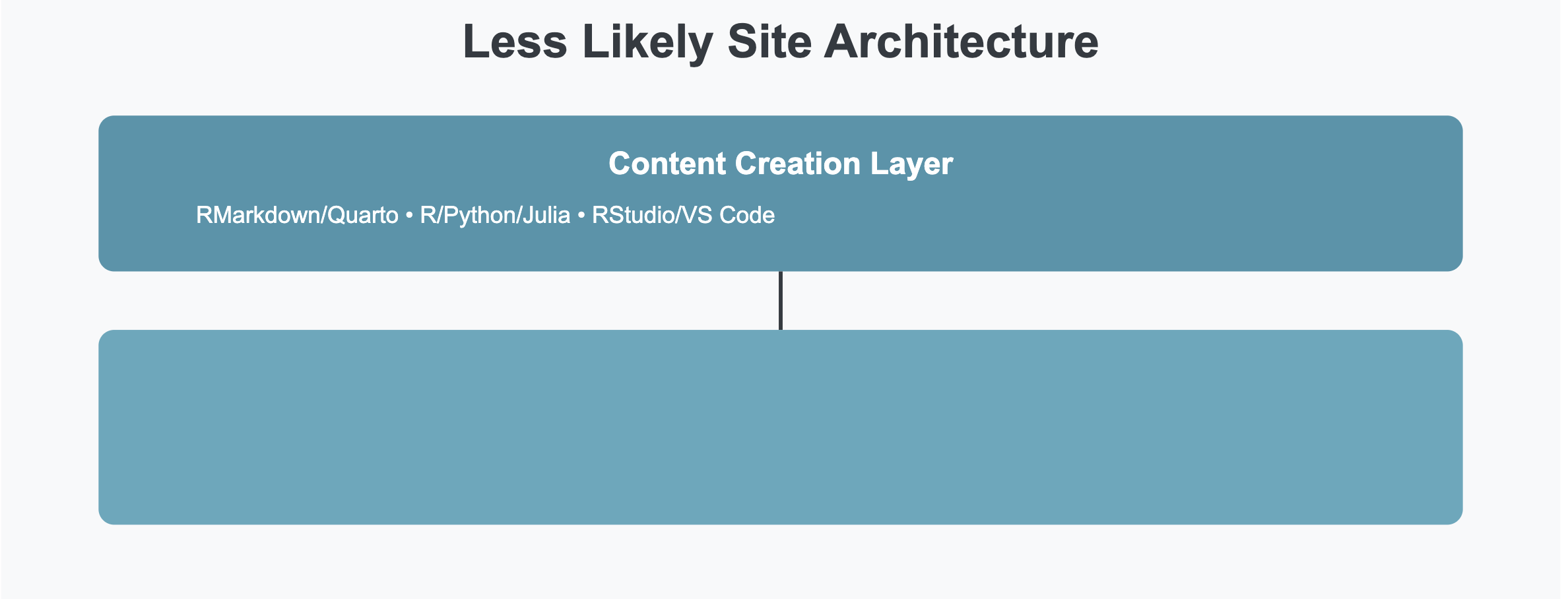
Technology Stack
Core Infrastructure
Quarto Publishing System
- Quarto - Next-generation scientific publishing system
- Version: 1.9+
- Why Quarto?
- Native support for R, Python, Julia, and Observable
- Superior mathematical typesetting with KaTeX
- Built-in citation management
- Cross-reference capabilities
- Code execution and visualization
- Professional academic output
Content Creation
- RMarkdown/Quarto Markdown - Primary authoring format
- RStudio/VS Code - Integrated development environments
- R Packages:
- Core statistical computing
- Data visualization (ggplot2)
- Tables (knitr, kableExtra)
- Special packages for specific analyses
Version Control & Deployment
- Git/GitHub - Version control and source hosting
- Netlify - Hosting, CDN, and deploy pipeline
- Automatic deployment on git push to
master - Netlify does not render the site. The site is rendered locally and
_site/(plus the_freeze/computation cache) is committed. Netlify’s build step only builds the CMS admin app (cd cms && npm ci && npm run build), then publishes the committed_site/. A content change is not live until it is re-rendered and committed. - CSS/JS bundling and minification
- Custom HTTP headers and CSP
- Redirect rules for canonical URLs
- Build plugins:
@netlify/plugin-lighthouse,@netlify/plugin-sitemap,netlify-plugin-submit-sitemap,@netlify/plugin-emails,netlify-plugin-formspree, and@algolia/netlify-plugin-crawler(disabled) - Netlify Functions - serverless endpoints in
netlify/functions/(site status, Disqus webhook, CMS auth, PageSpeed proxy, an AI completion proxy at/api/ai(ai.mjs, OpenAIgpt-4o-mini), and the UFC dashboard backend, exposed at/api/*via rewrites innetlify.toml)
- Automatic deployment on git push to
Third-Party Services
Search & Discovery
- Algolia - Full-text search with hosted index
- Index name
quarto, app ID configured in_quarto.yml @algolia/netlify-plugin-crawleris installed but currentlydisabled = trueinnetlify.toml; index is maintained manually- Instant results with keyboard shortcuts (f, /, s)
- Category filtering
- Custom icons for result types (injected by
search-images.js)
- Index name
- Algolia Agent Studio - Conversational search/chat widget, loaded site-wide via
scripts/agent-chat-loader.html
Typography & Fonts
- Google Fonts - Web typography
- Source Serif Pro - Body text (serif)
- IBM Plex Mono - Code snippets (monospace)
- Font loading: Preconnect to fonts.googleapis.com and fonts.gstatic.com for performance
Mathematics & Scientific Notation
- KaTeX - Mathematical rendering (
html-math-method: katexin_quarto.yml)- LaTeX syntax support
- Inline and display math
- Faster client-side rendering than MathJax (which the site used previously)
Quarto Extensions
Active extensions installed under _extensions/:
- quarto-ext/fontawesome - FontAwesome icon embedding in prose
- quarto-ext/fancy-text - Styled text effects
- quarto-ext/attribution - Content attribution blocks
- quarto-ext/include-code-files - Import external code files into code blocks
- mcanouil/iconify - Iconify icon set integration
- mikemahoney218/arxiv - arXiv citation and link helpers
- r-wasm/live - WebR live code execution in the browser
- shafayetShafee/bsicons - Bootstrap icon set
- shafayetShafee/collapse-callout - Collapsible callout blocks
- fradav/animate - Animate.css effects via the
animatefilter - mcanouil/highlight-text - Inline text highlighting via the
highlight-textfilter - leovan/pseudocode - Pseudocode rendering via the
pseudocodefilter - quarto-journals/elsevier - Elsevier journal article format (installed for manuscript output; not a site filter)
- shafayetShafee/downloadthis - Download-button shortcode (installed; not a site-wide filter)
Note: Lightbox image gallery (lightbox: auto) is a Quarto built-in feature since v1.4. The quarto-ext/lightbox extension is also installed under _extensions/ (for per-document override use).
Reference Management
- Zotero - Bibliography and citation management
- CSL - Citation Style Language for formatting
- BibTeX - Bibliography format
- Integration:
- Automatic citation insertion
- Multiple bibliography files
- Custom citation styles
- Hover previews for citations
Image Optimization
- Cloudinary - Image CDN and optimization
- Automatic format conversion (WebP)
- Responsive images
- Lazy loading
- Compression and optimization
Analytics & Monitoring
- Google Analytics 4 (G-9WVCJ5ZY42) - Traffic and event tracking
- Loaded via gtag.js in
include-in-header.html - Cookie consent (
type: implied) wired through Quarto
- Loaded via gtag.js in
- Microsoft Clarity (kjbivoumgn) - Session recordings and heatmaps, loaded via
include-in-header.html - Google Search Console - SEO monitoring
- Bing Webmaster Tools - Additional search insights
Site Architecture
Frontend Design
Styling System
- Bootstrap 5 - Base CSS framework (via Quarto/Bootswatch)
- Custom SCSS - Theme customization
- Light theme: Paper (Bootswatch) +
theme-mono.scssoverrides - Dark theme: standalone
theme-dark.scss(no Bootswatch parent) - Custom color variables
- Brand colors: #4895ab (primary), #d46c5b (accent)
- Light theme: Paper (Bootswatch) +
Layout Components
- Responsive Navigation - Mobile-friendly navbar
- Sidebar Navigation - Contextual links
- Table of Contents - Automatic generation
- Code Blocks - Syntax highlighting with language badges
- Copy Buttons - One-click code copying
- Search Results - Custom icons and styling
Custom Features
- Language Badges - Visual code block identifiers
- Copy Code Functionality - Enhanced clipboard integration
- Search Icons - Category-specific visual indicators
- Image Centering - Consistent image display
- Table Styling - Professional data presentation
- Theme Toggle - Three-state light/dark/flux switcher (
js/theme-toggle.js); flux is a Night Shift-style warm-tone mode (css/flux-mode.css)
Content Organization
my-quarto-site/
├── _quarto.yml              # Site configuration
├── index.qmd                # Homepage
├── about.qmd                # About page
├── blog.qmd                 # Blog listing
├── posts.qmd                # Alternative post view
├── projects.qmd             # Projects showcase
├── dashboards.qmd           # Interactive dashboards
├── glossary.qmd             # Terminology reference
├── sitemap.qmd              # Human-readable site map
├── contact.qmd              # Contact information
├── support.qmd              # Support page
├── blogroll.qmd            # Links to other sites
├── datasets.qmd            # Data repositories
├── privacy.qmd              # Privacy policy
├── license.qmd              # Licensing terms
├── conduct.qmd              # Comment policy
├── 404.qmd                  # Custom error page
├── build.qmd                # This page!
│
├── statistics/             # Statistical methodology posts
├── medicine/               # Medical research posts
├── nutrition/              # Nutritional science posts
│
├── images/                  # Site images and assets
├── styles/                  # Custom CSS
└── _site/                   # Generated output
Metadata & SEO
Schema.org Structured Data
- WebSite schema with site search
- Organization schema
- Person schema (author)
- BlogPosting schema (articles)
Content Workflow
Writing Process
Create New Post
# Create new .qmd file in statistics/ (or medicine/, nutrition/)
touch statistics/new-post.qmd
Write Content
- Use RMarkdown syntax
- Execute R code inline
- Create visualizations
- Add citations withcitekey?
- Include mathematical notation
Preview Locally
quarto previewBuild Site
quarto renderDeploy
# Commit the source AND the rendered output -- Netlify does not render.
git add . _site _freeze
git commit -m "Add new post"
git push
# Netlify publishes the committed _site/ on push to master
Post Template
---
title: "Your Post Title"
author:
  - name: Sir Panda
    orcid: "0000-0003-1545-8199"
date: "2025-01-08"
categories: [statistics, methodology]
description: "Brief description of your post"
image: "featured-image.png"
citation:
  type: article
  container-title: "Less Likely"
  url: https://lesslikely.com/statistics/your-post
bibliography: references.bib
---

## Introduction

Your content here...
Historical Evolution
Verified against Wayback Machine snapshots spanning 2011–2026.
WordPress Era (~2011–early 2019)
- Platform: WordPress 4.x → 5.0.2 on SiteGround hosting (WP 4.9.5 confirmed May 2018; WP 5.0.2 confirmed Dec 2018)
- Theme: GeneratePress Premium
- Key plugins: WP Rocket (caching), Imagify (image optimization), Yoast SEO
- Challenges:
- Plugin dependency and update fatigue (core + theme + plugins all diverge)
- Database vulnerabilities and security patching overhead
- Poor LaTeX rendering performance
- High maintenance burden for a static-content site
Hugo Era (~early 2019–early 2026)
The longest single era: Hugo 0.55.4 (first confirmed Jun 2019) through Hugo 0.134.2 (last confirmed Feb 2026) — roughly seven years on a continuously upgraded Hugo binary.
- Platform: Hugo static site generator (v0.55 → v0.134)
- Theme: Custom Bootstrap-based theme with particle.js homepage effects; no off-the-shelf theme
- Math: KaTeX; MathJax added alongside it in later years (both loaded by ~2024)
- Fonts: Adobe Typekit (kit
gyq1osp) at launch; switched to Google Fonts around 2022 — Merriweather, Lato, Roboto, Inconsolata, Fira Code - Search: Algolia InstantSearch (early), later Algolia Autocomplete + Netlify crawler frontend
- Analytics: Google Analytics Universal (UA) in early Hugo era
- Community: Discourse forum (
discourse.lesslikely.com) linked from navbar in early years; later removed - Tagline: “Separating Signals From Noise” (changed to current subtitle during Quarto migration)
- Improvements over WordPress:
- Eliminated database and plugin attack surface
- Fast static HTML — sub-second load times
- Full control over math rendering and code display
- No hosting fees beyond Netlify free tier
Quarto Era (~early 2026–present)
Wayback Machine first confirms Quarto on 30 Apr 2026 (generator tag: quarto-1.8.27). The Hugo generator tag was already absent in the Feb 2026 snapshot, suggesting the migration happened in late Feb–Mar 2026.
- Platform: Quarto publishing system (v1.8 → 1.9+)
- Why the switch from Hugo?
- Native R/Python/Julia code execution and freeze caching
- Built-in citation management, hover previews, cross-references
- Academic metadata (Google Scholar
citation_*tags, JSON-LD ScholarlyArticle) llms.txtand AI-visibility features built into the toolchain- Algolia integration carried over; all prior Algolia search config reused
- Active Posit/RStudio community vs. Hugo’s Go-centric ecosystem
Key Benefits of Quarto: No plugin dependencies — superior mathematical typesetting — native academic features — cross-platform R/Python/Julia support — active development — future-proof for scientific publishing.
Design Philosophy
Principles
- Content First
- Clean, readable typography
- Minimal distractions
- Focus on the writing
- Academic Rigor
- Proper citations
- Mathematical precision
- Code reproducibility
- Data transparency
- Performance
- Static generation
- CDN delivery
- Image optimization
- Minimal JavaScript
- Accessibility
- Semantic HTML
- ARIA labels
- Keyboard navigation
- Screen reader support
- Responsive Design
- Mobile-first approach
- Flexible layouts
- Touch-friendly interfaces
- Readable on all devices
Color Scheme
Brand Colors: - Primary: #4895ab (Teal blue) - Accent: #d46c5b (Coral red) - Neutral: #343a40 (Dark gray) - Light: #f8f9fa (Off white)
Dark Mode: - Background: #2d2d2d - Text: #e0e0e0 - Links: #5aa9bd - Borders: #404040
Performance Optimizations
Build Time
- Freeze feature for code execution
- Incremental builds
- Cached computations
- Parallel processing
Runtime
- Static HTML (no server processing)
- CDN distribution (Netlify Edge)
- Font subsetting
- Image lazy loading
- Code splitting
Metrics
- Lighthouse scores: 95+ across categories
- First Contentful Paint: < 1s
- Time to Interactive: < 2s
- Total Blocking Time: < 100ms
Future Enhancements
Planned Features
Technical Improvements
Content Additions
Development Setup
Requirements
- R (4.6+)
- RStudio or VS Code
- Quarto (1.9+)
- Git
- Node.js (for extensions)
Installation
# Install Quarto
# Download from https://quarto.org/docs/get-started/

# Clone repository
git clone https://github.com/zadrafi/lesslikely.git
cd lesslikely/my-quarto-site

# Install R packages
Rscript -e "install.packages(c('knitr', 'rmarkdown', 'ggplot2'))"

# Preview site
quarto preview

# Build site
quarto render
Configuration Files
**_quarto.yml** - Main configuration - Project settings - Website metadata - Navigation structure - Format options - Extensions
styles.css - Custom styling - Brand colors - Component styles - Dark mode - Responsive design
include-in-header.html - Head content - Metadata tags - Analytics scripts - Font loading - Structured data
Lessons Learned
What Worked Well
- Static Generation - Fast, secure, reliable
- Version Control - Complete history and rollback
- Quarto - Excellent for academic content
- CDN Hosting - Global performance
- Custom Theme - Full design control
Challenges Overcome
- Migration - Moving from Hugo to Quarto
- Dark Mode - Consistent styling across themes
- Search - Implementing custom icons
- Citations - Managing multiple bibliographies
- Performance - Optimizing large R computations
Best Practices
- Always preview changes locally
- Use meaningful commit messages
- Keep dependencies minimal
- Document custom features
- Test on multiple devices
- Monitor analytics regularly
- Maintain backup copies
Resources & Credits
Tools & Technologies
Design Inspiration
- Edward Tufte - Data visualization
- Butterick’s Practical Typography
- Material Design - UI patterns
- Academic journals and publications
Community
Contact & Feedback
Have questions about the site architecture? Want to implement something similar?
- Email: zad@lesslikely.com
- Twitter: @dailyzad
- GitHub: zadrafi
Open Source
While the content is copyrighted, the site’s technical implementation can serve as a reference for building academic websites with Quarto.
Key Takeaway: A well-designed static site with Quarto can deliver excellent performance, maintainability, and user experience for academic and scientific content without the complexity and overhead of dynamic CMS platforms.
Last updated: August 31, 2026
This page itself is built with Quarto, demonstrating the capabilities we describe!
Comments